For interpreters💼 Freelance Tools
Get started with your freelance tools
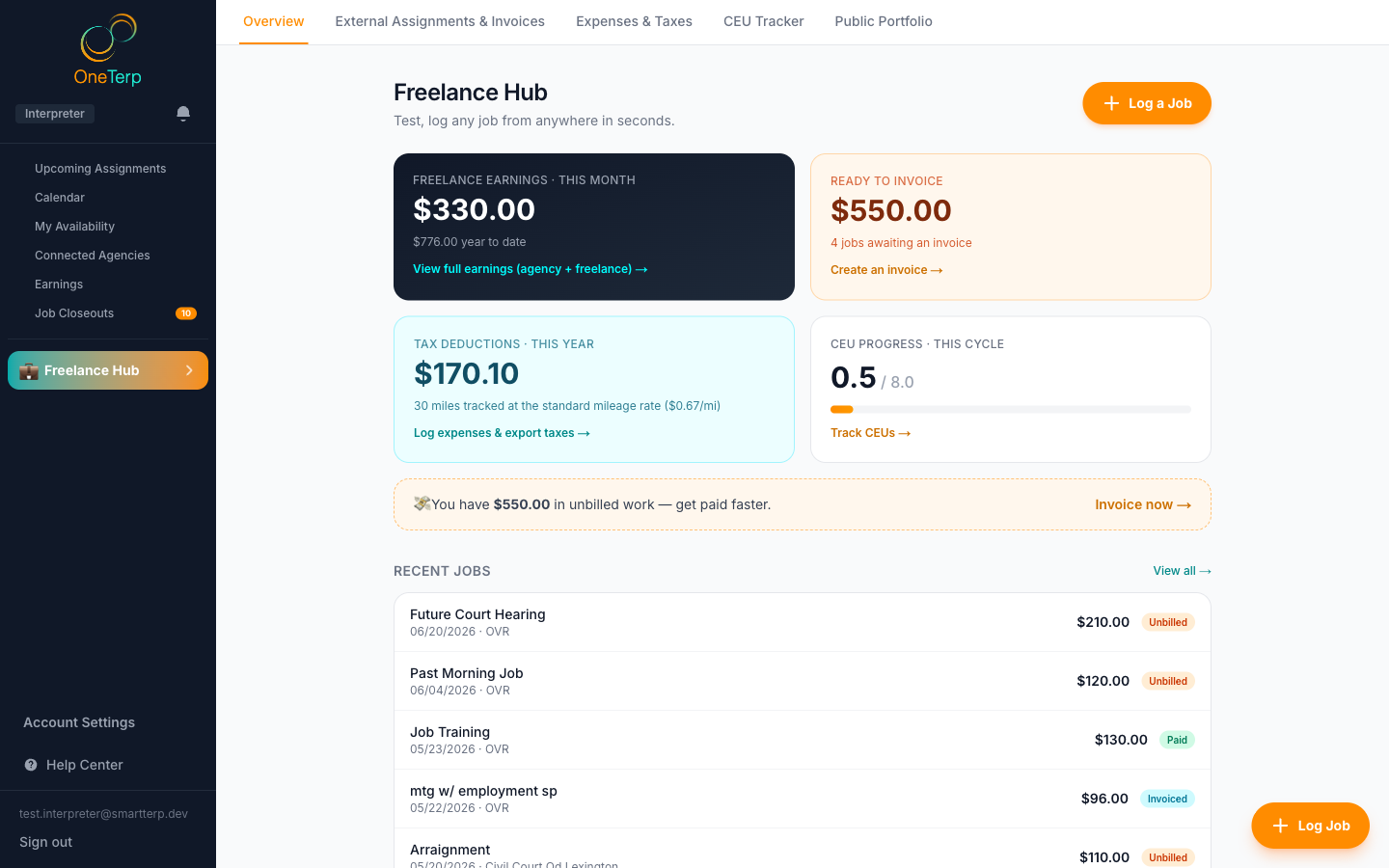
Your freelance tools live on your Home page: log your own jobs, invoice your own clients, track expenses, and see your income. Tracking your jobs and income is always free.
Your freelance tools, once called Freelance HQ, run your own interpreting business: the work you do outside the agencies that dispatch to you. They are not a separate page any more. They sit as tabs on your Home page, next to your agency work, and both feed one combined earnings picture. Logging jobs, clients, expenses and income is free. Invoicing, the tax export, travel tools and a public portfolio page are part of OneTerp Premium.
Step by step
- 1Click "Home" in the sidebar. On the Overview tab, the orange "Log a Job" button logs a freelance job in seconds, free.
- 2Scroll to the bottom of Overview for three boxes: this month's freelance earnings, what's ready to invoice, and your tax deductions this year. Each one links to the tab where you act on it.
- 3Open the "External Jobs & Invoices" tab to see your jobs by status, close them out, and build invoices.
- 4Open the "Earnings, Expenses & Taxes" tab and use the row underneath it to switch between "Earnings & Reports", "Expenses & Ledger" and "Taxes & Schedule C".
- 5Click the "✦ Premium" pill at the far right of the tabs to see what Premium adds, including your Public Portfolio.
- 6Rather not see the freelance tools at all? Open Account Settings from the sidebar, go to the "Freelance Tools" tab, and set "Freelance Tools on Home" to Hidden. Your Home page then drops the freelance tabs, boxes and buttons.
Screenshots
Tips
- CEUs are not a freelance tool. The CEUs tab is on Home for every interpreter, whether or not you use the freelance tools.
- The Overview numbers refresh as you log new jobs. Earnings count completed work only, so a job scheduled for the future isn't included until it happens.
- When freelance jobs have ended but aren't closed out yet, an amber note on Overview says how many, and Up next lists each one.
- Premium features are marked with a ✦ throughout the app, and the marks disappear once you have Premium. See the OneTerp Premium article for what is free, what Premium adds, and how an agency can cover it for you.
- With the freelance tools hidden, a small "Show freelance tools" card sits at the bottom of the sidebar. Click "Open Freelance Tools" on it to go straight back to the switch.
- Old links and bookmarks to Freelance HQ still work. They open your Home page, on the matching tab where there is one.
Related articles
Still need help?
If this article didn't solve it, submit a ticket and the OneTerp team will follow up.
Contact support