For interpreters🗓️ Your Work
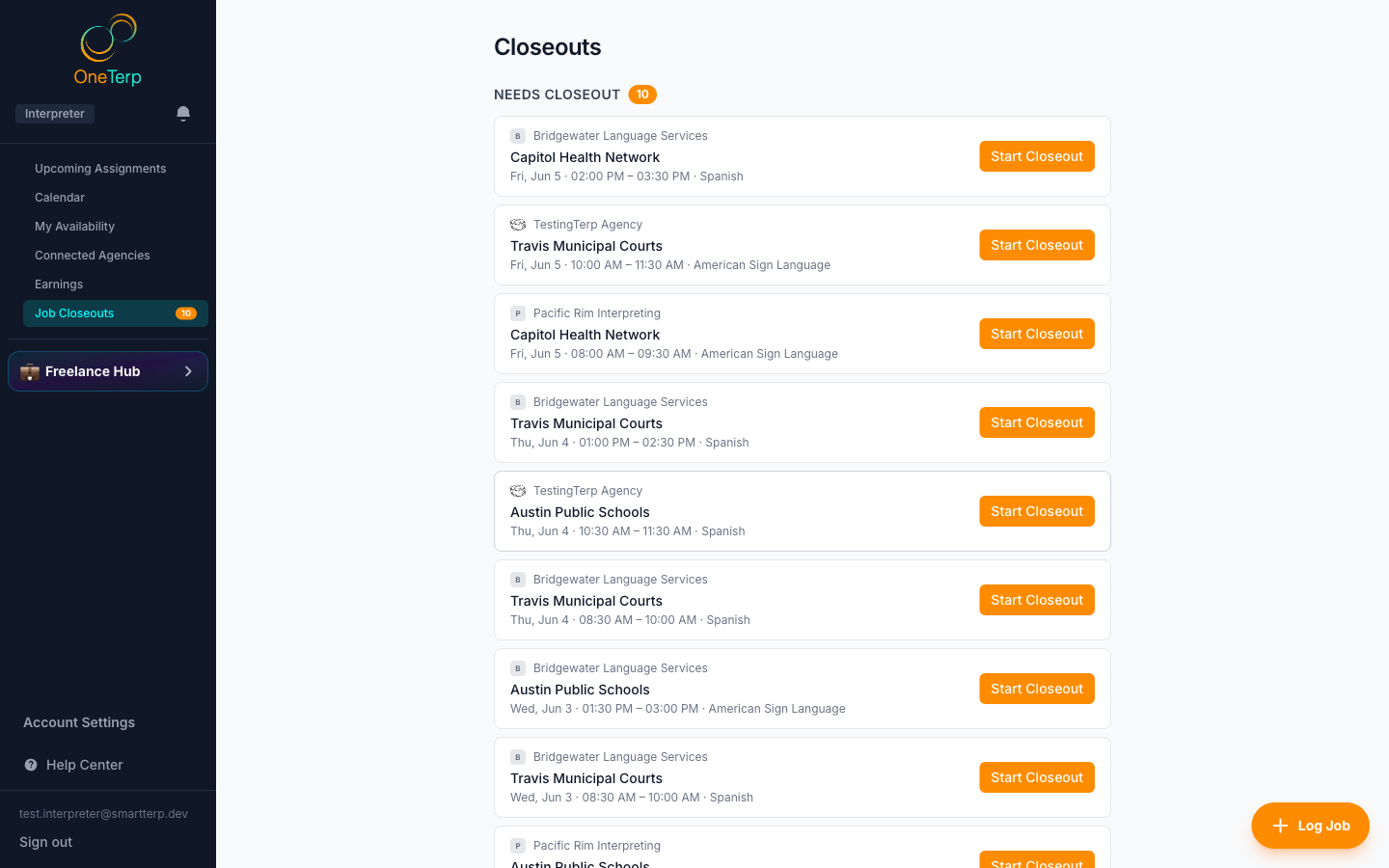
Submit a job closeout
After a job, confirm your actual times, travel, and expenses so it can be billed and paid.
A closeout is how you report what actually happened on a job. It drives both the agency invoice to the customer and your own payout, so accuracy matters.
Step by step
- 1Click "Closeouts" in the sidebar, or click a closeout row in Up next on your Home page to open that job's form directly.
- 2Pick an assignment that needs a closeout (the form pre-fills with your scheduled times).
- 3Enter the actual start and end times whenever they differed from what was scheduled, including when the job started late or ended early. The form tells you when it does, and your agency sees it too, so add a note saying why if you know.
- 4Add travel/mileage and any expenses if your agency allows them, and attach receipt files if needed.
- 5Set the Assignment Result: Complete, Consumer No Show, On Site Cancellation, or Something Else Happened.
- 6If your agency requires a verification signature, a "Verification signature" box appears. Type the "Name of person signing" and, if you like, "Their role", then have them sign on your screen. If no one could sign, tick "No one was available to sign" and say what happened.
- 7Click Submit Closeout (or Update Closeout to revise one you already sent).
Screenshots
Tips
- If you choose "Something Else Happened" as the result, you must add notes explaining it.
- When your agency asks for a signature, the closeout will not submit until it has a signature with the signer's name, or a reason why no one could sign. A reason does not block the job: your agency sees it when it reviews your closeout.
- A consumer no-show never asks for a signature. An on-site cancellation does, because it confirms you were there.
- Reopening a closeout you already submitted shows the signature on file. Use "Replace this signature" if you need a new one.
- If a job ran past midnight, the form detects it and shows a warning so your hours stay correct.
- Travel and mileage fields only appear when the agency has enabled them.
- If the end time you enter falls before the start time, the closeout will not save. It used to accept a backwards range, then contribute no hours at all while the job was still billed at its minimum, so the warning is there to stop a job being paid wrongly.
Related articles
Still need help?
If this article didn't solve it, submit a ticket and the OneTerp team will follow up.
Contact support