June 26, 2026 · OneTerp Team
Interpreter Scheduling Software for Small Agencies: A 2026 Buyer's Guide
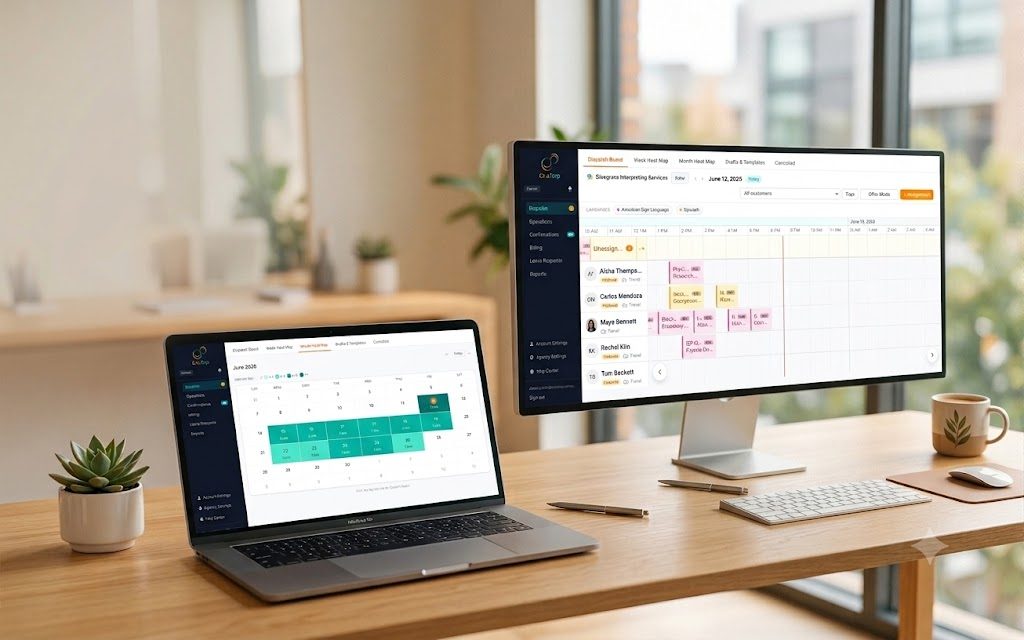
How to Choose Interpreter Scheduling Software for a Small Agency
If you run a small interpreting agency, your "system" is probably a spreadsheet for scheduling, QuickBooks for invoices, a separate scramble for paying interpreters, and email holding the whole thing together. It works. It works right up until it doesn't. One double booked interpreter, one missed invoice, one payout error, and you have spent real money and real trust to learn the same lesson again.
It does not matter how careful you are. It does not matter how good your memory is. A business held together by four disconnected tools will eventually drop something, and the thing it drops is usually the thing you could least afford to lose.
The good news is that software exists for exactly this work. The catch is that most of it is built for the large language service providers, priced for them and bloated for them. So this guide is not about the biggest platform. It is about the right size tool for a small agency: what actually matters, what you can safely ignore, and what it should cost.
What interpreter scheduling software actually does
Interpreter scheduling software, sometimes called an interpreter management system, is the operational backbone of an agency. The good ones cover five jobs:
- Dispatch: matching the right interpreter to each assignment and getting them to accept.
- Scheduling: a shared calendar of who is working what, when, and where.
- Billing: turning completed work into customer invoices.
- Payouts: paying your interpreters, both 1099 contractors and W2 staff.
- Closeouts and confirmations: the paperwork that proves the work happened.
Tie those five together in one place and you have replaced four disconnected tools and a great deal of manual re typing.
The seven features a small agency actually needs
Enterprise platforms sell you fifty features. You need about seven.
1. Smart dispatch
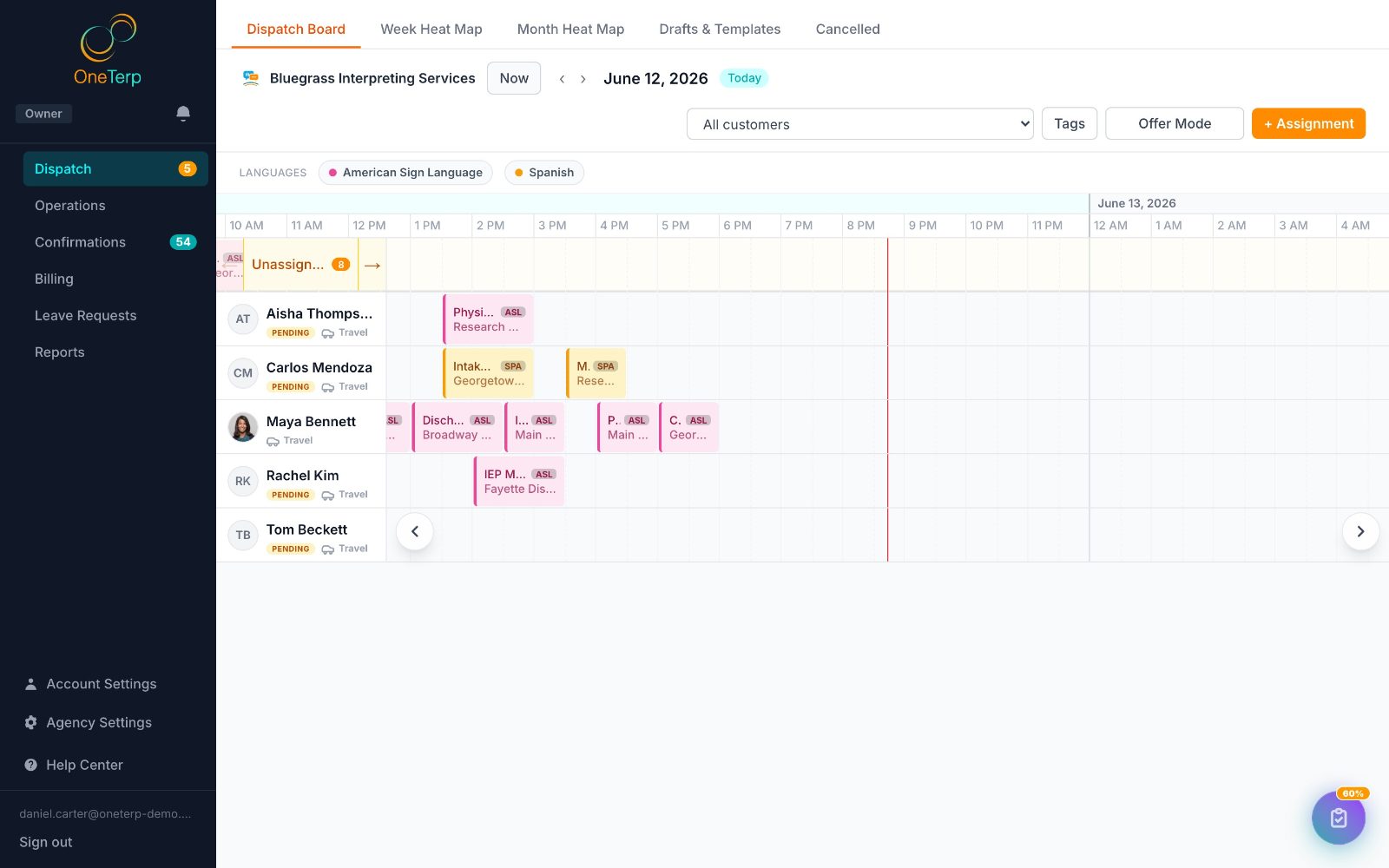
The software should match interpreters to assignments by language, availability, and proximity, then let you auto assign or broadcast the offer to a qualified pool in one click. Chasing coverage one text message at a time does not scale, and it does not have to.
2. A real scheduling calendar
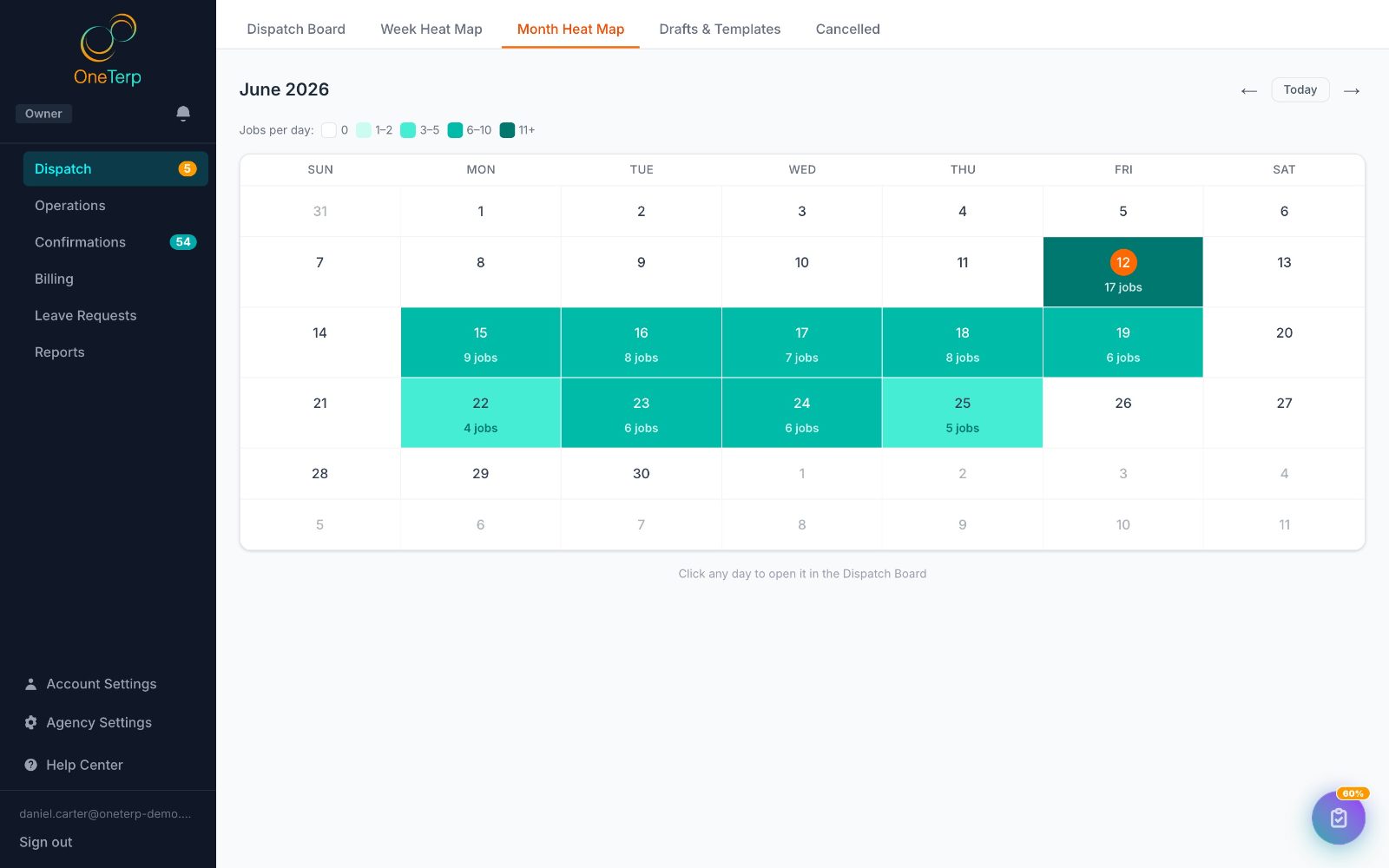
A dispatch board, recurring assignments, and month and agenda views, all synced across your team so two coordinators never book the same person twice. The whole point of a shared calendar is that the left hand can finally see what the right hand booked.
3. Integrated customer billing
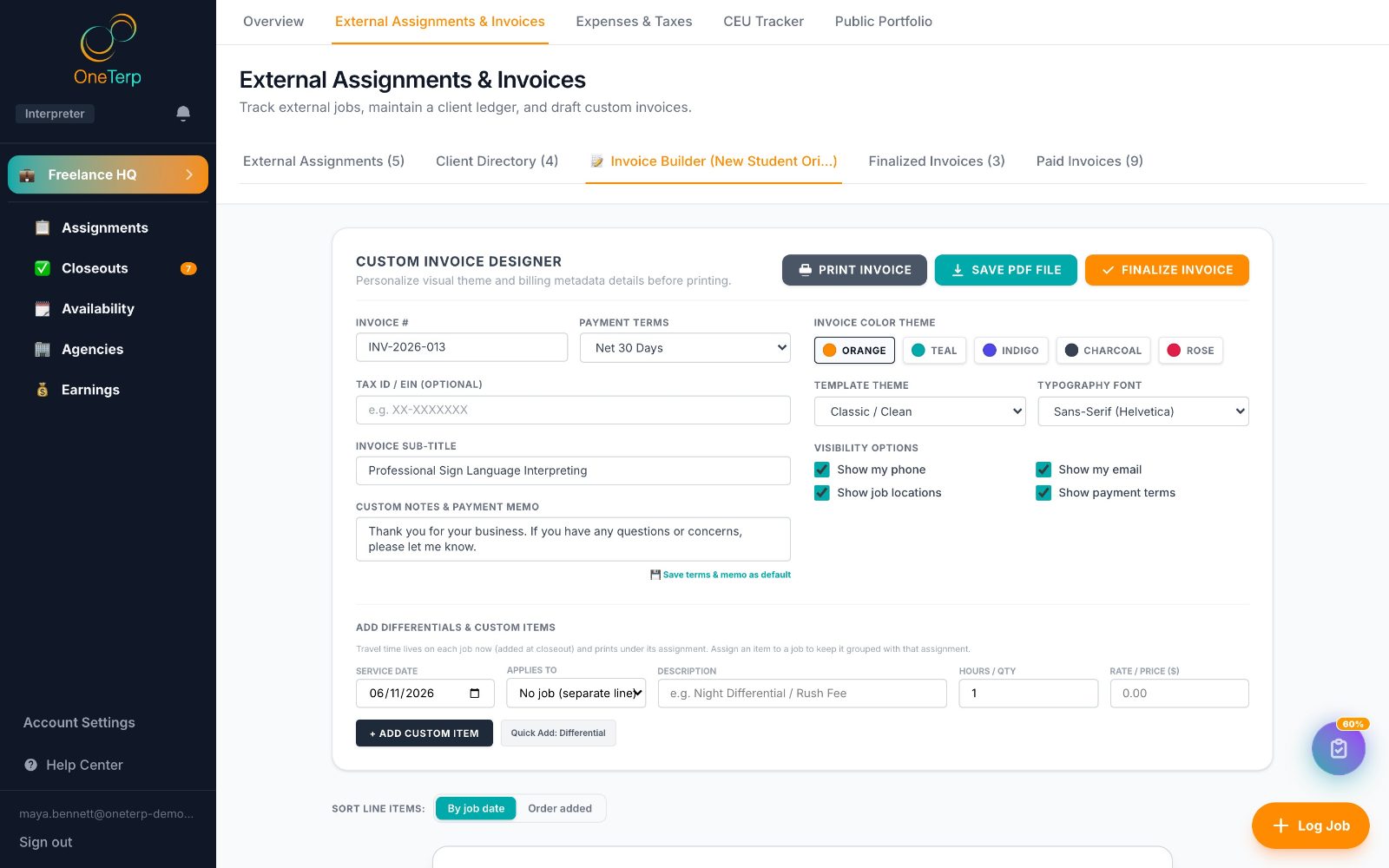
Completed assignments should flow into invoices without you re typing anything. Bonus points if it syncs to QuickBooks, so your accountant is not living in a different universe than your schedule.
4. Payouts for 1099 and W2 interpreters
Most small agencies run a mix of contractors and staff. Your software should handle both, track what is owed, and keep the records you will want at tax time. The IRS treats those two groups very differently, and your tools should too.
5. Confirmations and closeout tracking
Professional PDF confirmations for customers, and automatic tracking of which jobs are done, closed out, and ready to bill. This is where revenue quietly leaks when the work is manual. It leaks when a confirmation never goes out. It leaks when a closeout sits in someone's inbox. It leaks slowly enough that you do not notice until the month is short.
6. HIPAA compliance done properly
If you serve healthcare, you handle protected health information. That means a real Business Associate Agreement and a vendor that keeps that information out of the places it does not belong, like text messages and billing exports. Do not assume. Ask for the BAA, in writing, before you trust the tool with a single patient name.
7. Transparent pricing that scales with your work
You should not need a sales call to learn the price, and you should not pay enterprise rates per login for a five person operation. Look for pricing that scales with how much you actually book, not with how many people happen to log in.
How much does interpreter scheduling software cost?
Pricing in this space comes in three shapes:
- Per seat or per user: you pay for every coordinator login. Predictable, but it punishes you for adding team members.
- Flat annual contract: common with mid market tools. Expect roughly $4,000 a year and up, often with caps on how many assignments you can run.
- Per assignment, or usage based: you pay for what you schedule. Best for small and seasonal agencies, because your cost tracks your revenue instead of fighting it.
Enterprise platforms usually hide their price behind "contact sales," which is itself a signal about who they were built for. For a small agency, a usage based model, for example around a dollar per assignment, keeps your software cost in proportion to your business. OneTerp uses exactly that model, and it is free for the interpreters you dispatch.
Spreadsheets versus software: when to switch
A spreadsheet is genuinely fine when you are tiny. Switch when you start seeing:
- Double bookings or coverage gaps your calendar did not catch.
- Invoices going out late, or not at all, because closeouts live in someone's inbox.
- Payout disputes, because there is no single record of what was worked.
- An audit or compliance ask you cannot answer quickly from a spreadsheet.
If two or more of those sound familiar, the software will pay for itself fast.
A ten point evaluation checklist
When you demo a tool, check that it:
- Matches interpreters by language, availability, and proximity.
- Lets you broadcast an assignment to several interpreters at once.
- Shows a shared, live schedule for your whole team.
- Handles recurring assignments.
- Generates customer invoices from completed work.
- Syncs to your accounting software, such as QuickBooks.
- Pays both 1099 and W2 interpreters.
- Produces professional confirmations and tracks closeouts.
- Offers a signed HIPAA BAA and keeps protected health information out of text messages and billing exports.
- Publishes its pricing and scales with your volume.
The bottom line
You do not need an enterprise platform to run a sharp small agency. You need the seven things above, priced for your size, with compliance handled. Get those right and your team stops babysitting spreadsheets and starts running the operation.
That is the whole trade. Spend your days chasing coverage by text and reconciling invoices by hand, or spend them growing the agency. The spreadsheet was never free. It was just billing you in a currency you could not see on an invoice.
OneTerp is built for exactly this: smart dispatch, integrated billing and payouts, confirmations and closeouts, a real HIPAA posture, and pricing of about a dollar per assignment that stays free for your interpreters. Get started free and see your next week of assignments on one board.